


Chat AI: Ask Agent Anything
4.511.20K Reviews
App Specs
- Version
- 3.6.0
- Updated On
- License
- Free
- Downloads
- 10,000,000+
- Developer
- Deep Flow Apps
- Categories
- Productivity
- Platform
- Android, iOS
Screenshots
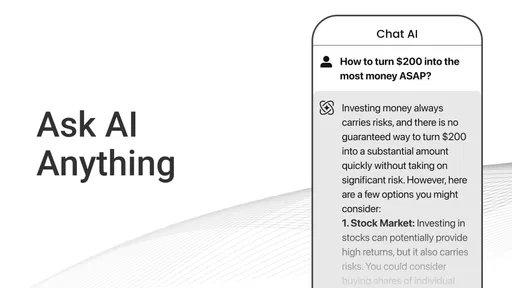

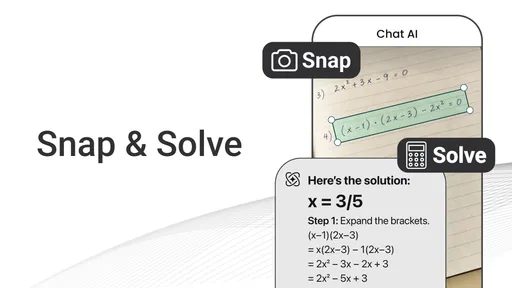


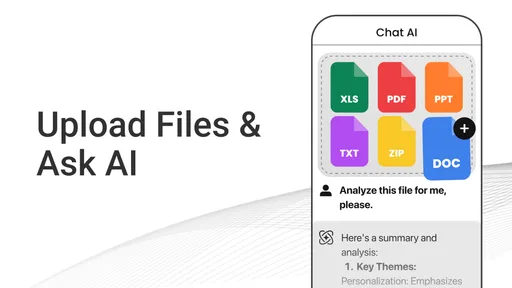
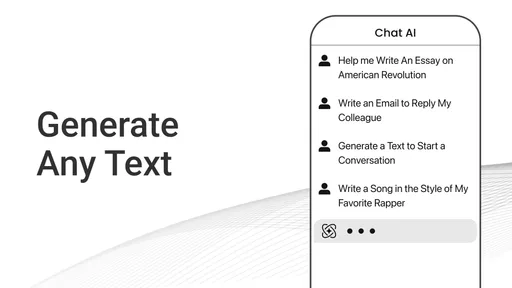
 Analysis by AppCompare
When I first open Ask AI - Chat with AI Chatbot, I treat it less like a search box and more like a place to work through a question in plain language. That small shift makes the first conversation easier: I can explain what I’m trying to do, ask for options, and then follow up when the first answer misses something. For a first-time user, the best starting point is a modest, practical request rather than expecting the app to solve a complicated problem in one go.
Getting Started with Ask AI
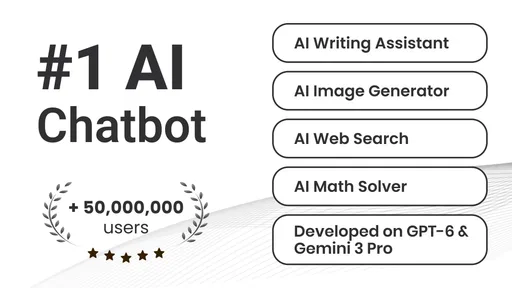
First off, downloading Ask AI - Chat with AI Chatbot is a breeze. Whether you’re on Android or iOS, you'll find it in the respective app stores. Once installed, the app greets you with a simple and clean interface that's super easy to navigate. No need to be a tech whiz here; it’s as user-friendly as it gets. The app is a free productivity tool from Deep Flow Apps, with a 4.5 average from around 1.1 million ratings and over 10 million installs. It is rated for Everyone, and the current version is 3.3.7.
What to Expect from a Chat-Based Assistant
The main appeal is the conversational format. Instead of searching with a short string of keywords and sorting through pages, I can describe a task in context and ask for a draft, explanation, or list of ideas. Ask AI is now powered by multiple AI models, which gives the app a broader assistant-style framing, but I still judge each response on whether it actually helps with the question in front of me. A confident tone is not the same as a correct answer, so I use it as a starting point rather than a final authority.
That distinction matters most for questions with consequences. For a recipe brainstorm, a clearer email, or a plain-language explanation of a familiar topic, a quick response can be useful. For medical, legal, financial, or time-sensitive decisions, I would verify important details with a dependable source or a qualified person. The convenience is real, but it does not remove the need to check facts or use good judgment.
First Setup and a Useful First Prompt
Once the app is open, I would begin with something small and specific: ask for three simple dinner ideas using ingredients already in the kitchen, or request a short explanation of a term that has been confusing. A useful prompt gives the assistant enough context to narrow its answer without turning the first attempt into a long briefing. If the result is too broad, I can follow up with a constraint such as “keep it vegetarian” or “explain it in two short paragraphs.”
That follow-up is often where the app becomes more useful than a one-shot search. I can say what I liked, point out what does not fit, and ask for a revision. For a real everyday example, imagine I have ten minutes before leaving and need a polite message to reschedule a meeting. I can state the situation, ask for a concise draft, then request a warmer or more direct tone. I still read it before sending, but getting a workable first version can save time.
What It Does Well—and Where I Stay Cautious
Okay, let’s dive into the fun part—what can this chatbot actually do? Well, it’s powered by some pretty advanced AI, which makes it capable of handling a wide range of inquiries. From answering trivia questions to providing life advice, this AI is like a Swiss Army knife of virtual assistants. I asked it for some recipe ideas, and it came back with a mouth-watering list of dinner options. Impressive, right?
Worth Reading Before You Choose

Flipboard Shows What News Apps Must Do Beyond the Feed

Switching to Android Auto Means Rethinking Your Driving Routine

Google Calendar Makes a Crowded Week Easier to Manage

Ludo King Makes the Most of the Minutes Between Plans

Baby Panda World Brings Quick Play to Modern Phones, but Its Game Library Feels Busy

ESPN’s Live Game View Makes Following Close Games Easier
Another cool feature is its ability to hold casual conversations. If you're bored or just need a quick chat, Ask AI is surprisingly engaging. It’s not just about facts and figures; it feels like a real conversation. I found it quite comforting, especially when stuck in a long commute or waiting in line.
The most helpful way to use that flexibility is to make the task clear and then steer the answer. For brainstorming, I ask for several distinct directions instead of one “best” idea; for writing, I specify the audience and tone; for learning, I ask it to explain a concept and then give me a simple example. These are small changes, but they make the reply easier to judge and act on. I would not treat a friendly conversational style as proof that the assistant understands a situation as a person would.
Choosing It Over Search, Notes, or a Specialist Tool
Compared with a standard web search, a chat assistant is better when I need a starting draft, a condensed explanation, or a few ideas shaped around my own context. Search is the better choice when I need current sources, to compare original documents, or to verify a claim directly. A notes app is better for keeping my own information organized over time, while a dedicated calendar, task manager, or writing tool is usually a stronger choice when I need structured features rather than conversation.
That makes this app a good fit for people who want one approachable place to ask varied everyday questions without learning a complicated workflow. It can be useful for students checking their understanding, busy people drafting routine messages, or anyone who wants a quick brainstorming partner. It is less suitable as the sole tool for professional research, precise record-keeping, or decisions where an incorrect answer could cause harm. In those situations, I would choose a source or specialist app built for the job and use an AI response only as a prompt for further checking.
Getting More Value from Each Conversation
A practical habit is to separate the first answer from the final decision. I might ask for a meal plan idea, then check that it suits the ingredients, dietary needs, and time I actually have. For a message, I read the draft aloud to see whether it sounds like me. For a complicated explanation, I ask what assumptions the answer depends on and confirm the important points elsewhere. This keeps the convenience while reducing the chance of accepting a polished but unsuitable response.
I also avoid placing sensitive personal details into a casual prompt unless they are genuinely necessary. A general description is often enough: instead of including names and identifying information in a request to rewrite a message, I can replace them with roles such as “my manager” or “a family member.” The app is rated for Everyone, but that age rating is not a reason to share private information or to assume every answer is appropriate without adult judgment.
One trade-off to keep in mind is that an open-ended chatbot can invite more back-and-forth than a simple search. That is helpful when refining a response, but it can also turn a quick task into a long conversation. I set a clear goal at the start—such as “give me a short draft” or “list three options”—and stop once I have something I can verify and use. If I need a durable checklist or a record I will revisit, I move the result into a tool meant for saving and organizing information.
Personalization, Privacy, and Practical Limits
Now, the magic of this app really lies in its adaptability. It learns from interactions, so the more you chat, the better it gets at understanding your preferences and style. This personalization aspect is what sets it apart from other chatbots. Plus, the app is updated regularly, so it keeps getting smarter!
Moreover, privacy is a top priority here. The app ensures your conversations are secure and private, which is a huge plus in today’s digital world. You can chat away without worrying about your data being compromised.
Even when a service presents conversations as private, I think it is sensible to keep passwords, payment details, highly personal records, and other sensitive information out of any chatbot. I also do not assume every reply remembers context perfectly or that preferences will carry over in exactly the way I expect. If I am returning to a task, I restate the key details that matter rather than relying on an earlier exchange to be interpreted correctly.
There is also a difference between a useful assistant and a dependable source of record. I would not use a chat thread as my only place to preserve a deadline, a medical instruction, or a decision someone else needs to see. The assistant can help me word or organize information, but a calendar, notes app, official document, or direct conversation is a safer home for anything I must retrieve accurately later.
Who Should Try It, and What to Consider
Ask AI is free to install, though it offers in-app purchases ranging from about $1.49 to $149.99 per item. I would start with the free experience and decide whether I personally need anything beyond it before spending. The app was released on March 3, 2023, and its minimum operating system requirement is Android 7.0. If you are choosing an AI assistant, those practical details matter alongside the conversational experience: check that your device can run it, and consider whether a free, flexible chat is enough for your routine.
I would recommend giving it a try if you enjoy asking questions in everyday language and want help getting unstuck on small tasks. It is especially handy when the first useful step is a draft, a list, or an explanation you can refine. I would skip it—or pair it with a more suitable tool—if I needed verified live information, dependable long-term organization, or professional guidance. In those cases, the chatbot’s convenience does not outweigh the need for a stronger source.
Final Thoughts
In a nutshell, Ask AI - Chat with AI Chatbot is a fantastic app for anyone who loves the idea of having a virtual pal right in their pocket. Whether you need information, advice, or just a fun chat, this app delivers on all fronts. It’s like having a conversation with an incredibly knowledgeable friend who’s always available. So why not give it a try? You might just find it’s exactly what you’ve been looking for!
My advice is to make the first session low-pressure: ask one real question, add a useful detail, and refine the answer once. That gives you a fair sense of whether this conversational approach suits you without expecting it to replace search, specialist apps, or your own judgment. Used that way, it can be a pleasant everyday helper—and you will quickly see where its replies are useful and where you would rather rely on something more direct.
Pros
- Intuitive and user-friendly interface.
- Quick response time enhances usability.
- Supports multiple languages for inclusivity.
- Offers a wide range of topics to explore.
- Integrates smoothly with other apps.
Cons
- Limited customization of chatbot personality.
- Occasional inaccuracies in complex queries.
- Requires internet for optimal performance.
- Lacks offline mode for remote use.
- Subscription required for premium features.
FAQs for Chat AI: Ask Agent Anything
What is Ask AI - Chat with AI Chatbot?
Ask AI is an interactive chatbot application designed to simulate conversations with a human. It leverages advanced AI technology to answer questions, provide information, and engage in dialogue on a variety of topics. The app aims to offer a seamless conversational experience, making it a useful tool for learning and entertainment.
How does the AI chatbot improve over time?
The AI chatbot uses machine learning algorithms to enhance its conversational abilities. As users interact with the app, it collects data to refine its responses and understand user preferences better. This continuous learning process helps the chatbot improve its accuracy and relevance, providing a more personalized experience over time.
Is Ask AI - Chat with AI Chatbot free to use?
The app offers a free version with basic features. However, there might be premium options available that provide enhanced capabilities, such as more advanced AI responses and ad-free experiences. Users can choose to upgrade based on their needs and preferences to unlock additional features.
What kind of topics can I discuss with the AI chatbot?
The AI chatbot is designed to handle a wide range of topics, from general knowledge and trivia to specific interests like technology, science, and entertainment. While it aims to provide informative and engaging responses, it’s important to note that the AI may not have the latest information on every topic.
How secure is my data when using the Ask AI app?
Data security is a priority for the developers of Ask AI. The app typically employs encryption methods to protect user data and ensure privacy. It's advisable for users to review the app’s privacy policy to understand how their information is handled and what measures are in place to safeguard it.


